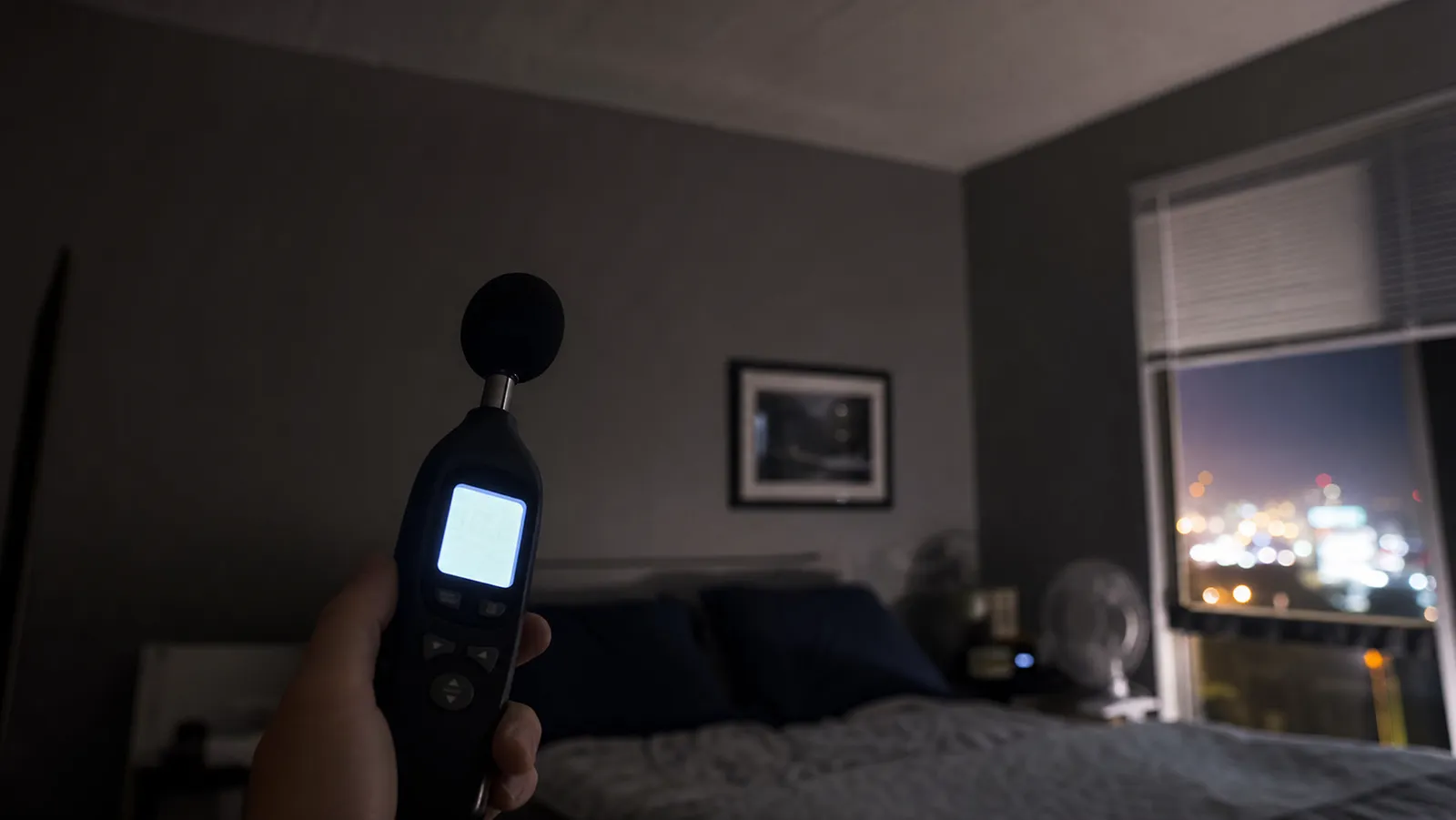
Yes, a cheap decibel meter for noise complaints is worth the twenty dollars, and the one to buy is a handheld with C-weighting and MAX hold. Be clear about what you are buying, though. A meter gives you a number that strengthens your log. It does not give you a number that wins your case.
We say that up front because the gap between those two things is where most renters lose momentum. You buy a meter, you read 62 dB at 12:40am, you email it to the building, and nothing happens — one reading from one night is an anecdote with a decimal point in it. The renters who get relief are the ones who used the meter as part of a method, which is the bigger topic we cover in how to reduce noise from upstairs neighbors.
What a Decibel Meter for Noise Complaints Actually Buys You
A meter converts a feeling into a data point. That is the whole transaction, and it is genuinely worth having.
"My upstairs neighbor is really loud at night" invites a property manager to decide whether you are a reasonable person. "The bedroom read 58 dB at 1:12am on eleven of the last fourteen nights, peaking at 71 dB" invites them to look at a pattern. The first is a complaint about a neighbor. The second is a complaint about a building, and buildings are what management is responsible for.
What it does not buy you is authority. You are not an acoustician, a consumer meter at this price almost certainly is not calibrated to a traceable standard, and you should not expect anyone to treat your readout as a legal finding — a limit we are blunt about below.
Start Free: What a Phone App Gets You
Download an app before you buy anything. For a lot of readers, that is the end of the shopping trip, and we would rather you spend nothing than spend badly.
The best decibel meter app for US readers is the free NIOSH Sound Level Meter. According to NIOSH, the agency built it precisely because the app market was so unreliable: its researchers evaluated 192 sound measurement apps for iOS and Android and found that only 10 iOS apps met their criteria for functionality and calibration, and only four met the accuracy criterion of within 2 dB(A) of a reference type 1 sound level meter. Four out of 192. That is the state of the category.
Two caveats on the NIOSH app. It is iOS only — NIOSH has said it could not adequately test and verify accuracy on Android in its lab, given how much microphone hardware varies across Android devices. And NIOSH's own position is that apps should complement conventional sound level meters, not replace them.
Stop at the app if you just want to know whether your bedroom is unusually loud. Buy hardware when:
- You need C-weighting, which almost no phone app offers.
- You need consistency — same microphone, same settings, night after night, with no OS update quietly changing the input gain.
- You need it to look like an instrument. A photo of a handheld meter reading 68 dB carries different weight in an email thread than a screenshot, fairly or not.
The Spec Nearly Everyone Gets Wrong: A-Weighting vs C-Weighting
This is the most important paragraph in the article. On a cheap meter, the spec that matters most is not accuracy. It is C-weighting.
Here is why. A-weighting is a filter designed to model how the human ear responds at moderate levels, and the ear is far less sensitive to low frequencies than to speech frequencies. According to Vernier, which builds measurement instruments, an A-weighted meter discriminates against low frequencies and primarily measures the 500 to 10,000 Hz range, while the C-weighted level does not discriminate against low frequencies and measures uniformly from 30 to 10,000 Hz. Honeywell's hearing-conservation guidance makes the same point in plainer words: A-weighting filters out much of the low-frequency noise a meter sees, while the C curve is quite flat and takes in far more of the low end.
Now the numbers, which are startling. According to Pulsar Instruments, A-weighting subtracts 26.2 dB at 63 Hz, while C-weighting subtracts only 0.8 dB at the same frequency; C is essentially flat from 31.5 Hz to 8 kHz. Pulsar also notes that peak sound pressure measurements — the sudden bangs and crashes — are made with C-weighting rather than A.
Then put that next to what upstairs noise actually is. Research on lightweight wooden floors published in Acta Acustica describes these assemblies as having poor low-frequency impact sound performance, made worse by common human activities such as walking and jumping, which put high input force levels at low frequencies — broadly the band below about 100 to 200 Hz where lightweight floors struggle most. Research on the vibration signature of human footsteps puts their characteristic frequency band at around 20 to 90 Hz.
Read those two facts together and the conclusion is unavoidable: an A-weighted-only meter is filtering out the thing that is waking you up. It will under-report the thump by a large margin and hand your building manager a comfortingly small number. If you want the full picture of why the frequency content of ceiling noise behaves so differently, we go deeper in low-frequency noise from upstairs and in impact noise vs airborne noise.
The rest of the ranking
After C-weighting, in order:
- MAX hold with fast response. A footstep is an impulse lasting a fraction of a second. Any averaging readout flattens it. Fast response (125 ms, sometimes listed as 0.125 s) plus a MAX capture is what lets you put a number on one footfall instead of on the room's general hum.
- Logging. The difference between a meter and evidence is a timestamp you did not write by hand.
- A backlight. Sounds trivial. You will be using this at 1am in the dark, half asleep, and you will care.
- Accuracy. Genuinely last. A 1.5 dB spec is irrelevant when your real problem is a 26 dB filter and a reading taken from a different spot each night.
The Five Meters We Would Actually Buy
One honest note before the picks: most instruments in this price band are unbranded-tier hardware, and every accuracy figure below is the manufacturer's claim, not our measurement. We have not lab-tested these against a reference meter. Prices are as of August 2026.
Best for Building a Noise Log — JuviPerpric Decibel Meter Data Logger
Around $43, and the only pick here that produces a file instead of a memory. The maker states it stores up to 43,000 readings, exports them to a Windows PC for analysis and printing, and includes a three-colour LED alarm with user-set thresholds, across a 30-130 dB range with A and C weighting, fast and slow response, and a backlit colour LCD showing date and time.
The case for it is the one thing a handheld cannot do: run unattended. Handheld meters make you the stenographer, standing in a dark hallway writing numbers on a pad and inevitably missing the 3am event because you were finally asleep. This one hands you a timestamped week.
Who should skip it: anyone who is curious rather than documenting, and anyone without a Windows machine, since the export software is Windows only. If you are building a case, though, the JuviPerpric data logger is the right tool.
Best Budget Pick — RISEPRO HT-80A Digital Sound Level Meter
Around $16, the cheapest thing here we would still call useful. RISEPRO lists a 30-130 dB range with a 31.5 Hz to 4 kHz frequency range, stated accuracy of plus or minus 1.5 dB, fast (125 ms) time weighting, data hold, MAX and MIN capture, auto power off, a backlight and a carrying pouch.
MAX capture and the backlight are the whole argument, and both matter more than the price tag suggests.
Who should skip it: anyone whose problem is footsteps or bass, which is most of you. This is A-weighting only, so by the numbers above it will quietly discount the low frequencies that dominate your ceiling. The RISEPRO HT-80A is a fine general-purpose meter for a loud TV, a party, or street noise through a window. As a footstep instrument it is compromised, and the fix costs two dollars.
Best Cheap Meter With C-Weighting — Goldeep SL750A
Around $18, and our default recommendation for a renter dealing with upstairs noise. Goldeep lists both A and C weighting, a 30-130 dB range with a 31.5 Hz to 8 kHz frequency response, stated accuracy of plus or minus 1.5 dB, fast (0.125 s) and slow (1 s) response, MAX and MIN tracking, dB and SONE units, data hold, an anti-slip grip, a windscreen ball, and two AAA batteries.
That is the budget pick plus the one setting that changes what you are measuring, for two dollars more. Flip it to C, set fast response, watch MAX, and you can put a defensible number on a single footfall instead of on the room's average.
Who should skip it: someone who needs unattended logging (buy the JuviPerpric) or a named standard on the box (buy the Protmex). For everyone else, we cannot construct an argument for spending less. The Goldeep SL750A is the second-cheapest meter on this page and the one we would hand a friend.
Best Step-Up for Accuracy — Protmex PT6708
Around $55, and the only listing here that names a standard. Protmex states the PT6708 complies with IEC 651 Type 2, is CE and RoHS approved, and uses an AD636 chip with an electret condenser microphone, offering 0.1 dB resolution over a 30-130 dB range, response within 0.5 s, A and C weighting, MAX, data hold, and a backlight.
Be clear on what that claim is worth. According to NoiseMeters, "Type" comes from the older IEC 60651 standard while current meters are specified in "Class" under IEC 61672, which makes more demands on accuracy, performance and calibration; a Type 2 or Class 2 instrument is the general-purpose field grade, not a precision one. Cirrus Research puts Class 2 tolerance at plus or minus 1.4 dB at 1 kHz, widening to plus or minus 3.5 dB down at 20 Hz. A real specification, then, but a modest one referencing a superseded edition. It is still more than any other listing here offers.
Who should skip it: anyone whose goal is documentation. Protmex states plainly that the PT6708 cannot store or generate a report, so you are back to transcribing by hand — and the logger costs twelve dollars less. Buy the Protmex PT6708 only if you expect this device to end up in front of someone official.
Best for Leaving on Display — TestHelper SW-525A Wall-Mount Sound Level Meter
Around $60 for a wall-hanging meter with a large red LCD and an alarm, listed at a 30-130 dB range. Mount it in the bedroom, leave it on, and read it the instant you are woken rather than fumbling for a handheld that has already missed the event. Nothing else here offers that immediacy.
Who should skip it: almost everyone building a case. Nothing is stored, so it is a live readout rather than a record. TestHelper also publishes very little specification beyond the display, the form factor and the alarm — we do not know its weighting options, so treat everything unlisted as unknown. That is why the TestHelper SW-525A is last on this list rather than first.
How to Take a Reading That Means Something
The meter matters less than the method. A single number from a random spot proves nothing; the same measurement repeated identically for three weeks is hard to dismiss.
- One spot, marked. Pick a location — bedside, three feet from the wall, mid-room — and put a small piece of tape on the floor. Same spot every single time. Do not chase the noise around the apartment.
- One device, one setting. C-weighting, fast response, MAX hold. Never mix app readings and meter readings in the same log.
- Record peaks, not just averages. The event that wakes you is the peak. Log both if your meter shows both, and label which is which.
- Timestamp everything, including the quiet. A 3am reading of 34 dB on a silent Tuesday is not a wasted night; it is your baseline, and it is what makes the 68 dB entries mean something.
- Hold the meter away from your body, roughly at ear height, and stay still. You are measuring the ceiling, not your sleeve.
- Log for weeks, not nights. Patterns persuade. Incidents do not.
Do all of that and you are most of the way to a proper record. The format of the log itself, and what to send to whom, is its own job — we walk through how to document the noise properly step by step.
How Many Decibels Is Too Loud in an Apartment?
There is no single legal answer, but there are two useful reference points.
The health reference. According to the World Health Organization, bedrooms should be below 30 dB(A) at night for good quality sleep, and night noise outside bedrooms should stay under 40 dB Lnight to prevent adverse health effects. WHO's Night Noise Guidelines note that above 40 dB Lnight you start seeing self-reported sleep disturbance, environmental insomnia and increased use of sleeping pills and sedatives, while below 30 dB Lnight essentially no sleep effects are observed. If your bedroom is reading in the 50s and 60s at 1am, you have a concrete, citable comparison — not just a grievance.
The legal reference, which is weaker than you would hope. US municipal ordinances tend to lean on times at least as much as on levels, and the time windows are the part most renters can actually cite. Quiet hours commonly run 10pm to 7am on weekdays and 11pm to 8am on weekends, though this varies city to city — New York City's, for example, run 10pm to 7am. Some cities do also set a decibel limit at the property line during those hours; many do not, and outside the quiet window enforcement often falls back on whether the noise is "unreasonable," a subjective test with a lot of officer discretion in it. None of that is legal advice — check your own city's ordinance and your lease before you cite a number at anyone.
If you want help turning your readings into something meaningful — how much quieter a 6 dB reduction actually feels, for instance — our free soundproofing calculators do that arithmetic for you.
What a Meter Will Not Do for You
It is unlikely to stand up as legal evidence. Larson Davis, which makes professional acoustic instruments, notes that when measurements are presented as legal evidence the first question asked is usually when the equipment was last calibrated. None of these listings mentions a NIST-traceable calibration certificate, and a $20 handheld is not going to survive that question. Your readings support a narrative; they do not settle a dispute, and what any particular court or agency will accept is a question for your jurisdiction rather than for us.
It will not make anyone act. A number is an input to a process — neighbor conversation, written complaint, management escalation, city noise line — not a substitute for one.
It will not tell you the noise is "real." You already know that. The reason your ceiling sounds like that is structural, and we explain it in why upstairs neighbors are so loud.
It will not fix anything. No meter has ever reduced a decibel.
The Bottom Line
Buy the Goldeep SL750A at around $18. C-weighting is the reason, and it is the difference between measuring your problem and measuring around it. If you are seriously building a record, spend around $43 on the JuviPerpric logger instead and let it work the night shift for you.
Then do the boring part, because it is the part that works: same spot, same settings, peaks recorded, timestamps on everything, weeks rather than nights. The instrument is cheap and the method is free, and it is the method that changes outcomes. When you have the log, use it inside a real plan — The Soundproof Apartment's guide to noise from above covers what to do with it and in what order.

A logging meter rather than a spot-check meter. The maker states it stores up to 43,000 readings, exports them to a Windows PC for analysis and printing, and adds a three-colour LED alarm with user-set thresholds. Range 30-130 dB, stated accuracy plus or minus 1.5 dB, A and C weighting, fast and slow response, backlit colour LCD with date and time.
If your goal is a record your building manager cannot wave away, this is the one that matches the job. Handheld meters make you the stenographer, standing in a dark hallway at 1am writing numbers on a pad. This one runs unattended and hands you a timestamped file at the end of the week, which is exactly the artefact that turns a complaint into a pattern. It costs roughly two and a half times the budget pick, and it is worth it only if you are genuinely documenting rather than curious. Windows only for the export software.
*Price shown on Amazon and subject to change.

The cheapest meter here that still does the two things a renter needs. RISEPRO lists a 30-130 dB range with a 31.5 Hz to 4 kHz frequency range, stated accuracy plus or minus 1.5 dB, A-weighting only, fast (125 ms) time weighting, plus data hold, MAX and MIN capture, auto power off and a backlight. Ships with a carrying pouch.
MAX capture and a backlight are the whole argument for this thing. A footstep is an impulse, so an averaging readout will smooth away the exact event that woke you, and you are going to be using it in the dark. A-weighting only is the real compromise, and it matters more than the price suggests here, because A-weighting deliberately discounts the low frequencies that dominate upstairs thumping. Buy it to get started cheaply, understand that it will under-report the bass end of your problem.
*Price shown on Amazon and subject to change.

Two dollars more than the budget pick and it adds the setting that matters for upstairs noise. Goldeep lists both A and C weighting, a 30-130 dB range with a 31.5 Hz to 8 kHz frequency response, stated accuracy plus or minus 1.5 dB, fast (0.125 s) and slow (1 s) response, MAX and MIN tracking, dB and SONE units, data hold, anti-slip grip and a windscreen ball. Two AAA batteries included.
This is our default recommendation for a renter dealing with footsteps and bass. C-weighting is why. Flip to C and the meter stops discounting the low end, and the reading finally starts to resemble what is actually shaking your ceiling. Pair it with fast response and MAX hold and you can put a real number on a single footfall. The 8 kHz top end is wider than the budget pick too, though that end is irrelevant to your problem. For under twenty dollars there is no good reason to buy the A-weighted-only meter instead.
*Price shown on Amazon and subject to change.

The only meter here whose listing names a standard. Protmex states the PT6708 complies with IEC 651 Type 2 and is CE and RoHS approved, using an AD636 chip and an electret condenser microphone, 30-130 dB range, 0.1 dB resolution, stated accuracy plus or minus 1.5 dB, response within 0.5 s. A and C weighting, fast and slow response, MAX, data hold, under and over indication, dB and SONE units, backlight. Protmex notes it cannot store or export a report.
Worth the money only if you think this ends up in front of somebody official. A named standard on the listing is a small thing, but in a dispute it is the difference between a gadget and an instrument, and 0.1 dB resolution reads more credibly in a log than a whole-number display. Note what it does not do though. Protmex states plainly that it will not keep or generate a report, so you are still transcribing readings by hand. If documentation is the point, the logger above is the better fifty dollars.
*Price shown on Amazon and subject to change.

A wall-hanging meter with a large red LCD and an alarm, listed at a 30-130 dB range. TestHelper's listing is thin on specification beyond the large-screen display, the wall-mount form factor and the alarm, so treat the rest as unknown rather than assumed. It is the only unit here designed to sit permanently on a wall and be read from across the room.
A niche pick with one genuine use. Mount it in the bedroom, leave it running, and glance at it the moment you are woken instead of fumbling for a handheld that has already missed the event. That immediacy is the whole value, and for some readers it is real. What it is not is a documentation tool, because nothing here is stored. Note also that TestHelper publishes very little specification for this model, which is why it is last on this list rather than first. Buy it as a live readout, not as evidence.
*Price shown on Amazon and subject to change.
| Pick | Product | Link | |
|---|---|---|---|
| Best for Building a Noise Log | JuviPerpric — JuviPerpric Decibel Meter Data Logger (30-130 dB, 43,000-record memory) | $42.99 | Check → |
| Best Budget Pick | RISEPRO — RISEPRO HT-80A Digital Sound Level Meter (30-130 dB) | $15.90 | Check → |
| Best Cheap Meter With C-Weighting | Goldeep — Goldeep SL750A Digital Sound Level Meter (30-130 dB, A/C weighted) | $17.99 | Check → |
| Best Step-Up for Accuracy | Protmex — Protmex PT6708 Sound Level Meter | $54.99 | Check → |
| Best for Leaving on Display | TestHelper — TestHelper SW-525A Wall-Mount Sound Level Meter (30-130 dB) | $59.88 | Check → |
Lillie Metayer
Lillie Metayer is the founder of a local program that helps apartment-dwellers take action against noise pollution. Involved in environmental activism since high school, Lillie is passionate about raising awareness of the harms of noise exposure and helping people reduce noise in their communities. In her free time, Lillie enjoys playing the violin and spending time outdoors.